
aprsota.org
APRS OTA
APRS OTA is an on-the-air activity run by the bot at aprsota.org. One operator hosts an op, other operators call in as chasers, and each confirmed contact is logged and scored. APRS Connect has a screen for it: hosting, confirming contacts, chasing, and the clock.

Free to install and use over APRS-IS, chasing included. Hosting needs a radio link, which is part of APRS Connect Pro, with a 7-day free trial.
Hosting
- One tap sends
HOST, with a comment of your own. - The op starts when the bot confirms it. A
HOSTthe bot refused is shown as refused, and the app does not show a running op until the bot says there is one. - Hosting is RF-only. The bot counts a
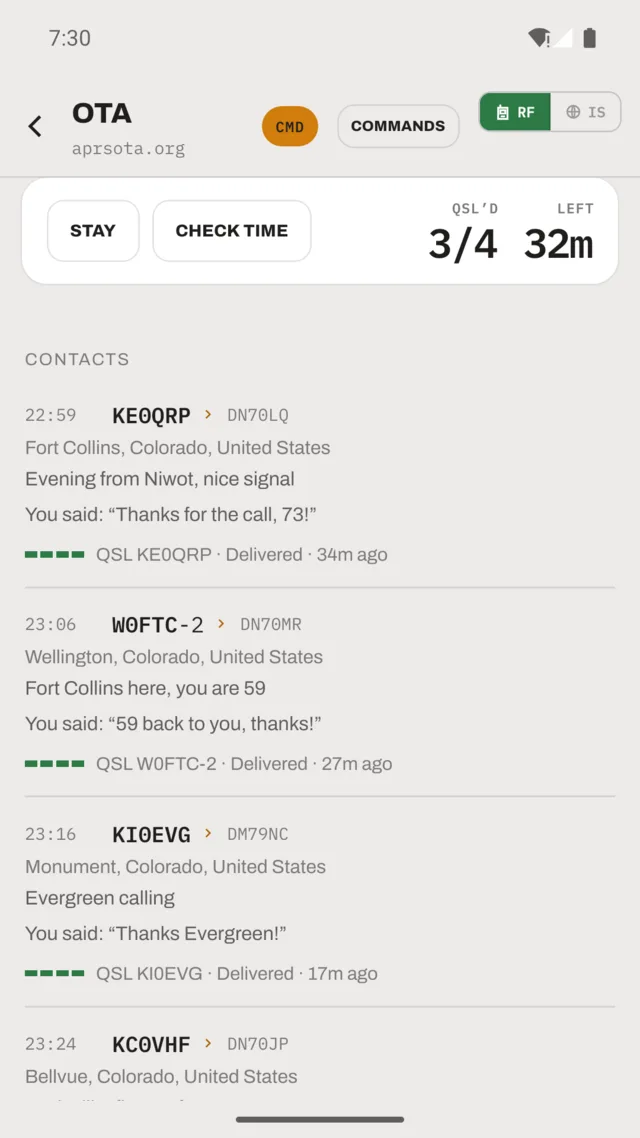
HOSTit heard on the air, so a phone with no radio link cannot host. - The screen shows your confirmed count and the time remaining, with a button to extend.
- The op clock counts the QSLs the bot answered, and the wrap-up shows how many of your calls it left unanswered.
- A BLAST box on the host and chase screens sends one message to everyone in the op.
Contacts
- Chasers appear as cards with their message and, where the bot supplies it, their grid square.
- Confirming a contact is one tap, with an optional note that goes out in the
QSL. - A confirmed contact shows what you and the chaser said.
- A
QSLthe bot refused is shown as refused.QSLis RF-only, so a message can be delivered and acknowledged and still log nothing.
Chasing
- One tap sends
CQ, which asks the bot who is hosting. It does not announce you. - Hosts are listed with distance and bearing from your position.
- Hosts you have already worked are marked.
- The default call message is yours to edit.
- Chasing works over APRS-IS as well as RF.
- The chase list can come from the internet instead of the bot: the ops listed on aprsota.org, with each op's number, start time and a live countdown, refreshed once a minute. A host who has started a new op is not shown as already worked.
- Each op has a map of its stations, at the positions the server reports, with the distance to each.
Your ops
- Every op you host or chase is kept as its own record: a summary, who was in it, anything blasted to the whole field, and the full exchange in order with each line labelled.
- Records are built from the messages themselves, so they survive navigating away, backgrounding and restarting the app.
Sharing an op
- An op can be shared as a picture carrying your callsign and comment and, once the op is over, the bot's closing figures.
- Only figures the bot stated appear. A count it did not give is left off rather than shown as zero.
- Several designs to pick from; the choice is remembered.
- Sharing is in the iPhone app. It is not in the Android release yet.
What gets transmitted
- Every button on the OTA screen can show the exact packet it will send, addressee included.
The APRS OTA guide covers all of this in full, including why hosting needs a radio.
Get the app
APRS Connect is on Google Play for Android and the App Store for iPhone. Chasing works over APRS-IS; hosting needs a radio link, which Pro adds.