A digipeater that waits its turn
A digipeater repeats packets it hears back onto the air, so stations that cannot reach the network on their own reach it through somebody else. As of 1.8.0, APRS Connect can be one, using the radio you already have connected. It is part of APRS Connect Pro and needs a radio channel, because a digipeat has to go back out on the frequency it came from.
It is a different job from the IGate, and the two are independent. You can run either, both, or neither.
Fill-in or wide-area
This is the whole choice for most people, and the app asks it as one setting.
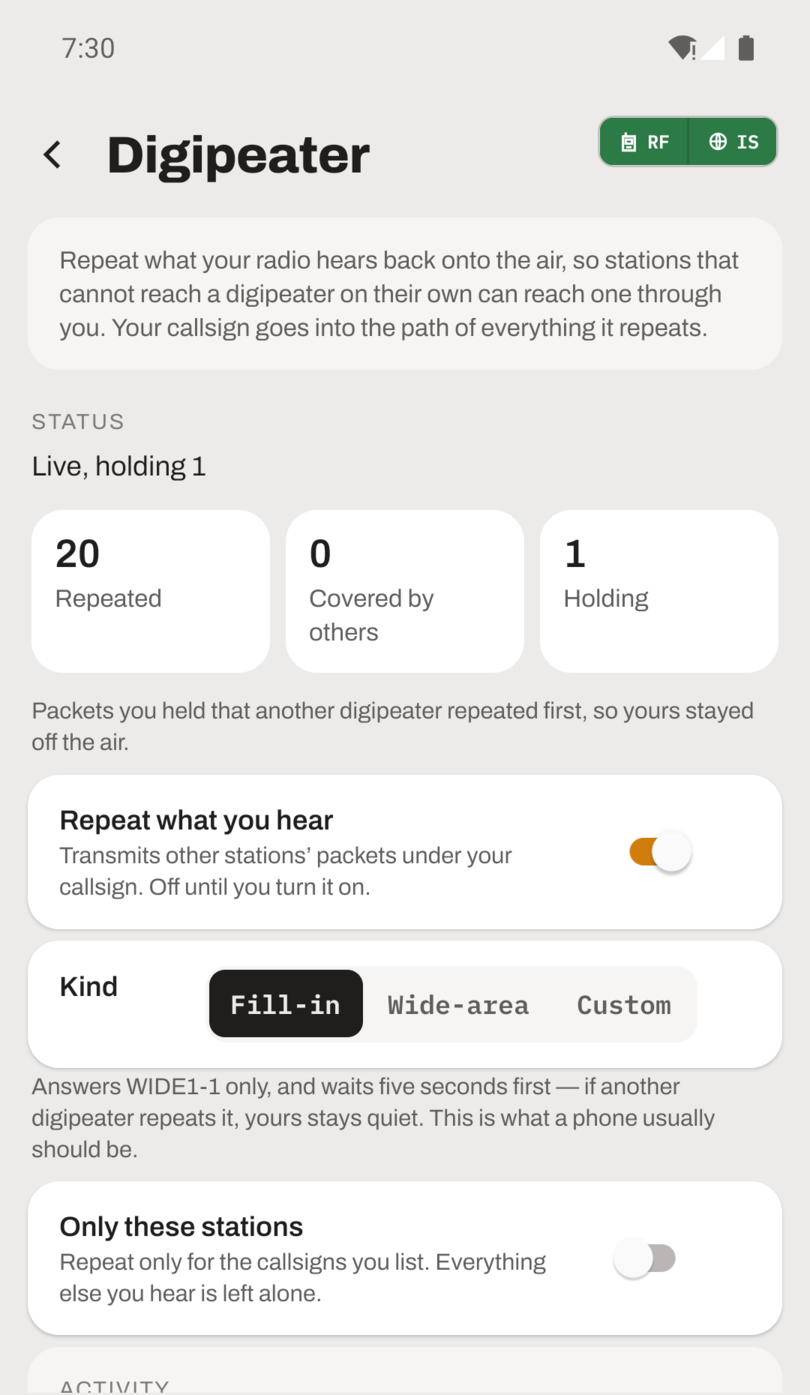
Fill-in answers WIDE1-1 and nothing wider, and it waits five seconds before transmitting. If another digipeater repeats the packet during that wait, yours stays quiet. That wait is what makes a fill-in worth running from a phone: it transmits only where nothing else covered the packet, so it fills holes instead of adding a second copy of everything the hilltop digipeater already carried.
Wide-area answers WIDE1-1, WIDE2-1 and WIDE2-2, immediately. That is a real digipeater's job and belongs to a fixed station with height, a proper antenna and mains power. Too many wide-area digipeaters in one area degrade the network rather than improve it, so plan one with your local group.
If you are not sure which you are, you are a fill-in.
What it will never repeat
These rules run before yours and nothing on the settings screen reaches past them.
- Anything that did not arrive on a radio. Packets from APRS-IS or a capture file never go on the air.
- Anything already carrying your callsign as a used hop. That is the rule that stops a loop.
- Your own transmissions.
- Anything with
TCPIPin the path, because it has been on the internet. - Anything from a station you have blocked.
- Anything asking for more than three hops.
WIDE7-7is the packet that takes a network down.
There is also a rate cap and a 30-second window that suppresses an identical packet. Both are backstops against a bug, not throughput settings.
Custom rules, if you need them
Choosing Custom shows a rule list for the cases the presets do not cover: a regional alias, a station you would rather not repeat, or a second radio. Each rule names an alias, how to match it, the widest request it answers, whether to repeat or leave alone, and its wait. Rules are checked from the top.
Every rule also has Hear on and Repeat on. Leave them alone and the packet goes back out the way it came. Name a different radio and the rule bridges, heard on one and repeated on another. Name several and it is a cross-band repeat, with real airtime on each of them.
The count worth watching
The Digipeater screen shows Repeated, Covered by others, and Holding. Covered by others is the one to watch if you run a fill-in. It is the only count that goes up when your digipeater decides not to transmit, and a healthy fill-in in a well-served area shows far more of those than repeats. That is the feature working.
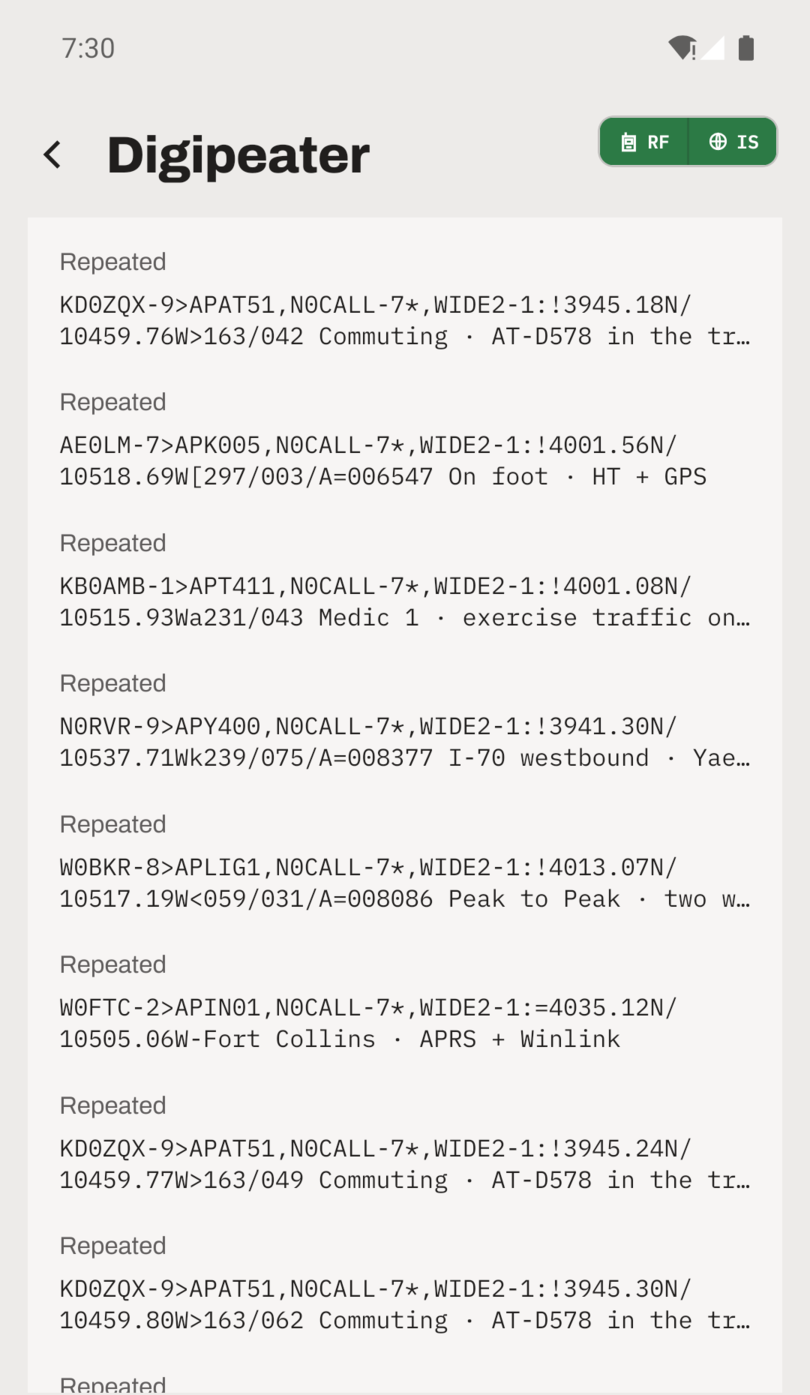
In the packet log a repeated packet gains a DIGI mark, and a Repeated chip narrows the log to what your digipeater handled.
Your callsign is on everything it transmits, and unattended automatic transmission is regulated differently in different countries. Check what applies where you are before switching it on. The full reference is in the digipeater documentation.