Pinned stations
Most people who use APRS have a short list of stations they actually care about: a partner's mobile, a club digipeater, a friend on a road trip. Everything else is context. APRS Connect 1.8.0 lets you say which ones those are. Pins are free.
Star it
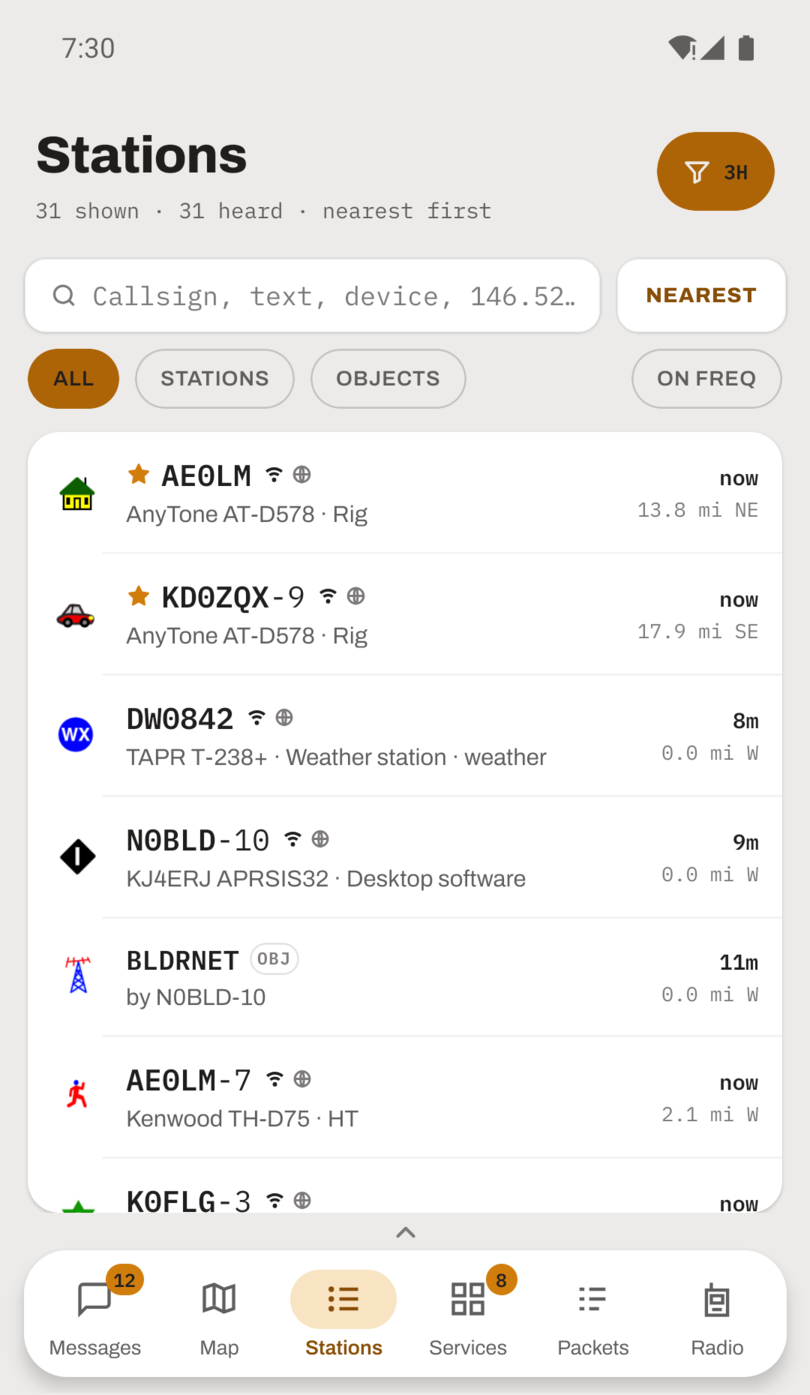
Tap the star on a station's page to pin it. A pinned station sorts to the top of the Stations list, whichever order the list is in, and carries a filled star on its row. Tap the star again to unpin.
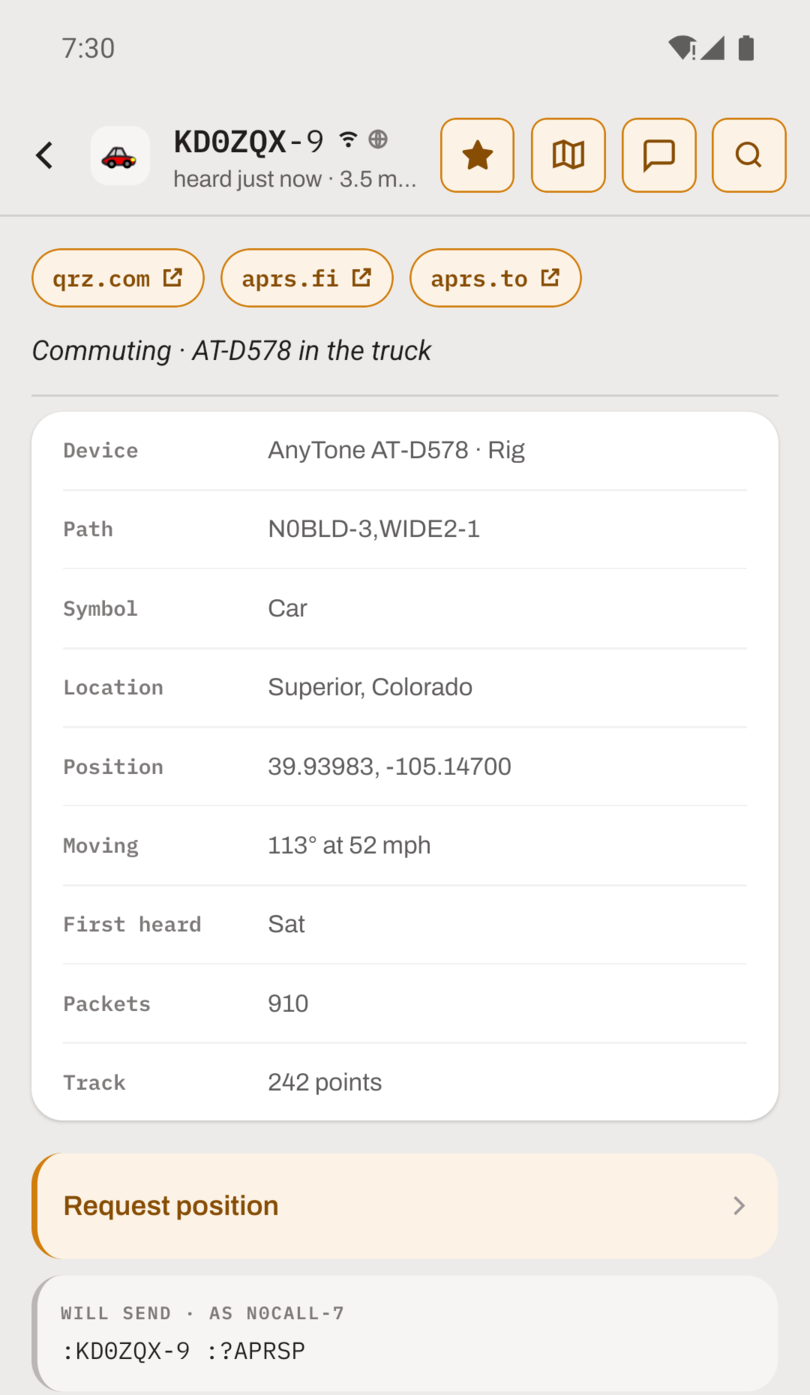
Pins are kept on this phone only and stay with the station's callsign and SSID. Pinning a station's mobile does not pin its home station. The pin survives the station ageing out of the packet log and is already in place when the station is next heard.
It is followed on APRS-IS
While you are connected to APRS-IS, a pinned station is added to your server filter, so its packets reach you wherever it is. It does not have to be inside your range filter to keep moving on the map. A friend driving across the country stays on your map from the moment they leave to the moment they arrive.
This only applies over the internet. A radio hears what it hears.
Pinned only
The view filter has a new Pinned stations row. Set it to PINNED ONLY and the map, the Stations list and the packet log show only your starred stations and their packets. It combines with the other rows, so "RF only, last hour, pinned only" is a filter you can set.
What a pin does not do
A pin does not notify you when the station is heard, and it does nothing in the background. It changes where a station sorts, not whether it has been heard: if a pinned station has not been heard within the view filter's window, it is not in the list. A pinned station looks like every other station on the map. The star is on its row and its page.
For "tell me when a station is close enough to work", that is a different feature. Mobiles nearby watches moving stations and posts a notification when one comes into range.
Pinned stations are covered in the stations documentation.