
Messaging and the map over APRS-IS
The app connects to the APRS-IS servers over the internet. Messaging and the map work as they do on a phone.
macOS 14 or later recommended · Apple silicon and Intel
The same app as on Android and iPhone, in a window of its own. It connects to APRS-IS over the internet, with messaging and the map.
Version 1.14.0, 20.0 MB. One download for Apple silicon and Intel Macs. macOS 14 or later is recommended. It may work on older Macs as well.
Also on Android and iPhone, and on Windows and Linux.
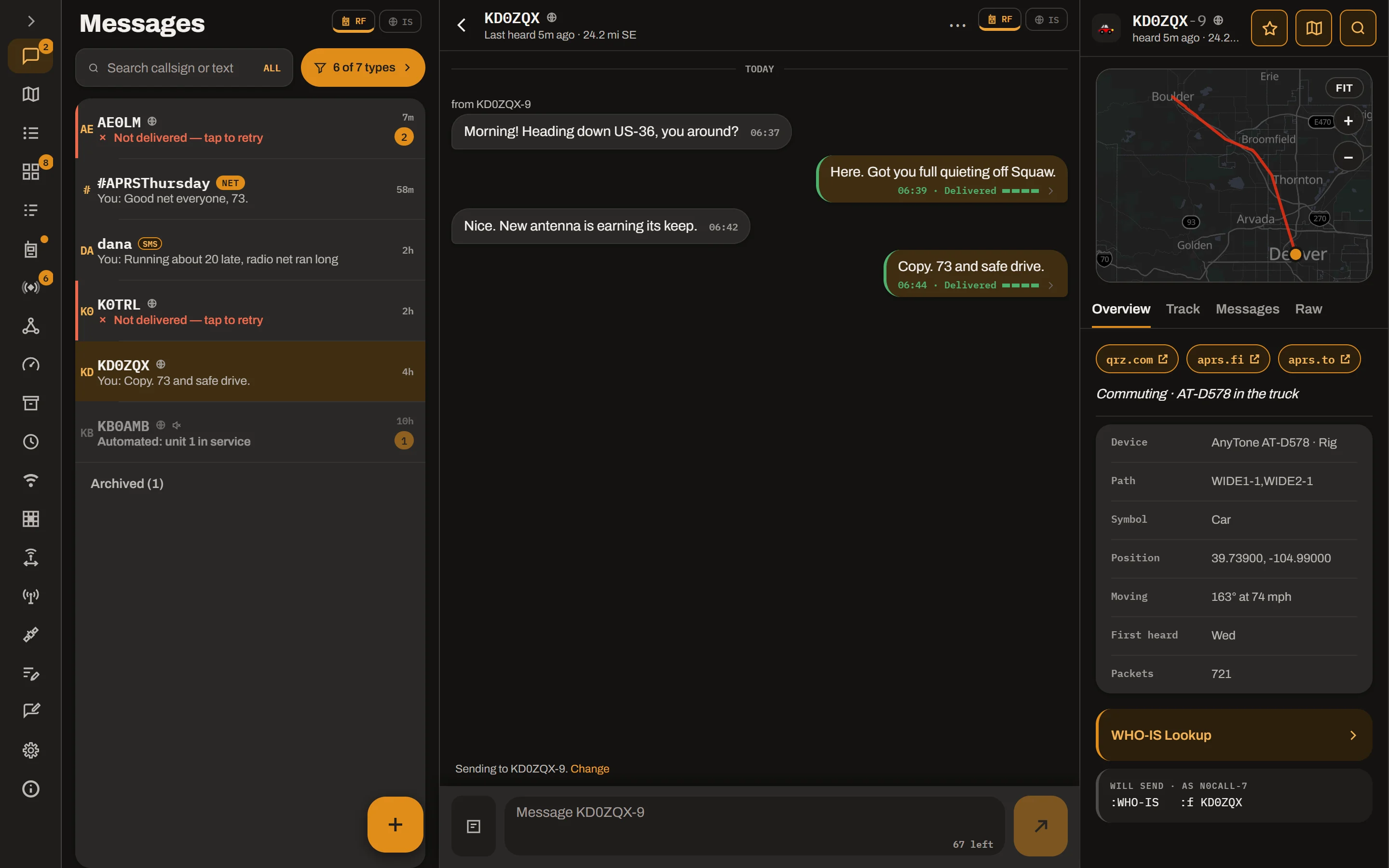
The app connects to the APRS-IS servers over the internet. Messaging and the map work as they do on a phone.
Sign in to the same account as on your other devices. Sync between your devices works on the Mac too.
The same file runs on both kinds of Mac. macOS 14 or later is recommended. It may work on older Macs as well.
Closing the window does not stop the app. It keeps running in the menu bar.
The app is signed and notarised, which means Apple has checked it for malicious software. macOS says so the first time you open it.
The guide covers each part of the app.
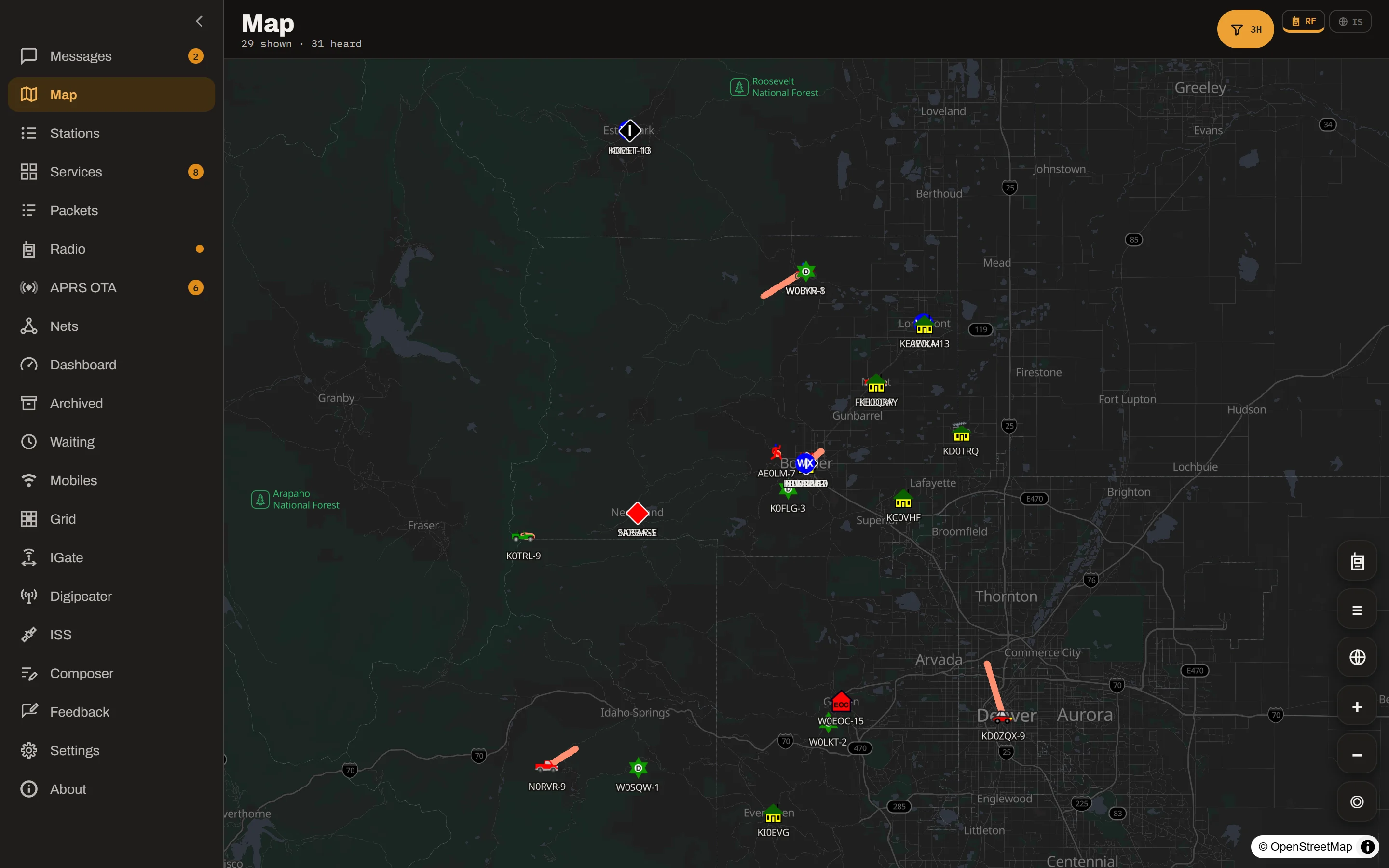
The stations and callsigns in these pictures are made up.
APRS Connect_1.14.0_universal.zip.
For a new version, download it from this page again.
macOS asks for your permission the first time the app uses Bluetooth, this Mac's location or the microphone. The microphone is for the audio modem.
Version 1.14.0, 20.0 MB. For Apple silicon and Intel Macs. macOS 14 or later is recommended.
APRS Connect is on Google Play for Android and on the App Store for iPhone and iPad, and there are apps for Windows and Linux. It also runs in a web browser, with nothing to install.

 APRS Connect for Windows
APRS Connect for Linux
Open in your browser
APRS Connect for Windows
APRS Connect for Linux
Open in your browser