WIDE1-1, WIDE2-1: choosing an APRS path
This post is for anyone who transmits APRS over a radio and has typed WIDE1-1,WIDE2-1 into a path field because a guide said to. It explains what a path is, what each part of that string asks for, which path suits which kind of station, and which old paths should no longer be used. It ends with where the path is set in APRS Connect and where the app shows the path a packet actually took.
What a path is, and where it matters
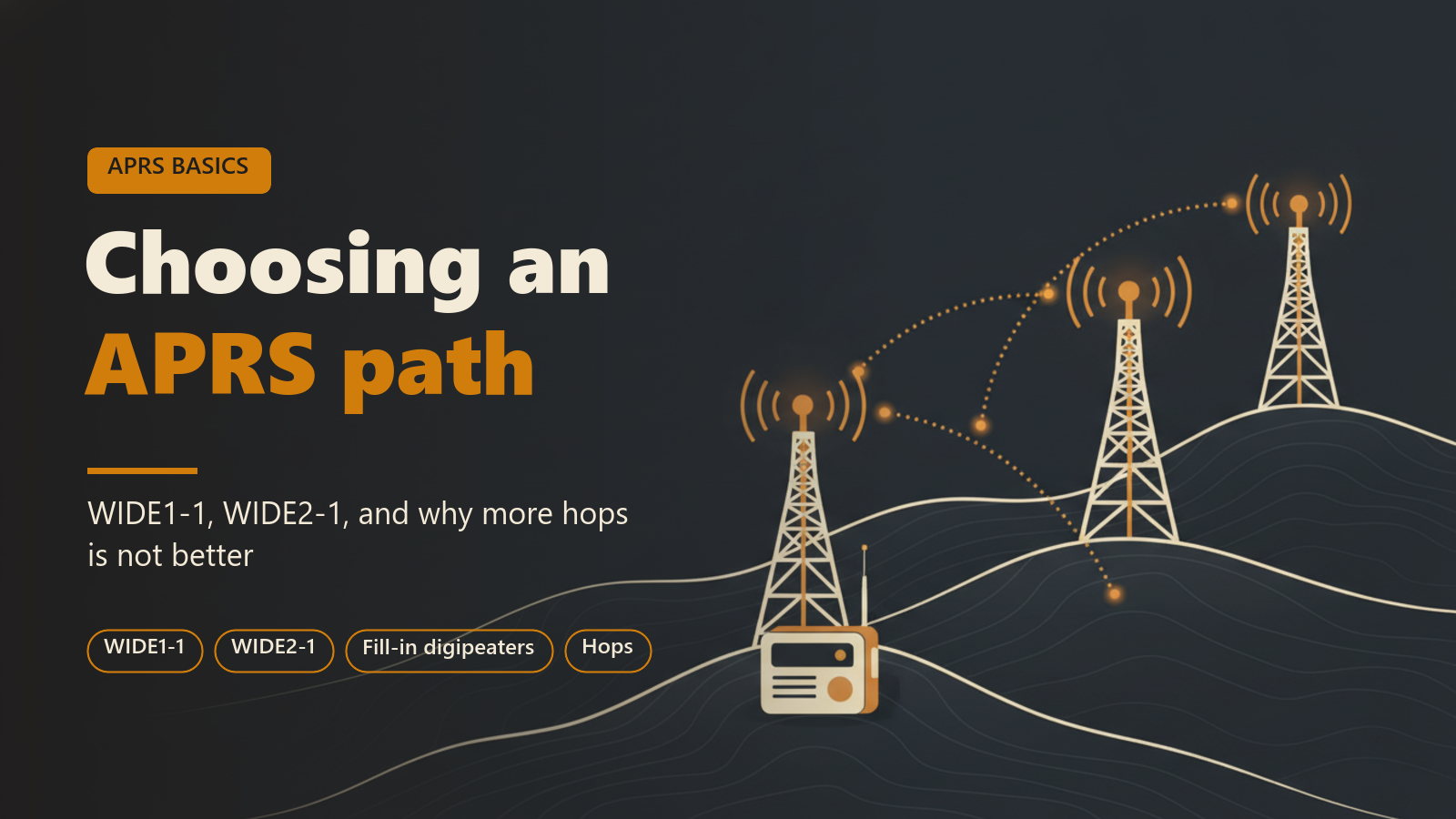
Every APRS packet sent over a radio carries a short list of digipeaters it would like to be repeated by. That list is the path. It usually holds aliases such as WIDE1-1, which any digipeater serving that alias may answer.
The path is a request made on the air, and it matters only there. APRS-IS, the internet side of the network, does not digipeat. A packet sent straight to APRS-IS goes to every server regardless of what a path field says, so the choice in this post applies to packets that leave through a radio.
An empty path is valid. It means the packet is heard only by stations in direct range.
What WIDEn-N means
In WIDE2-2, the first number says how many hops the sender first asked for, and the number after the hyphen says how many are left. WIDE2-2 is a fresh request for two hops. WIDE2-1 is either a request for one hop or a two-hop request with one already spent.
A digipeater acts on one entry only: the first one nobody has used yet. When it repeats the packet it takes one hop off that entry and puts its own callsign into the path. Once an entry reaches zero it is spent, and it is shown with a *. In the usual text form of a packet, one * marks the last used entry, and every entry before it has been used too.
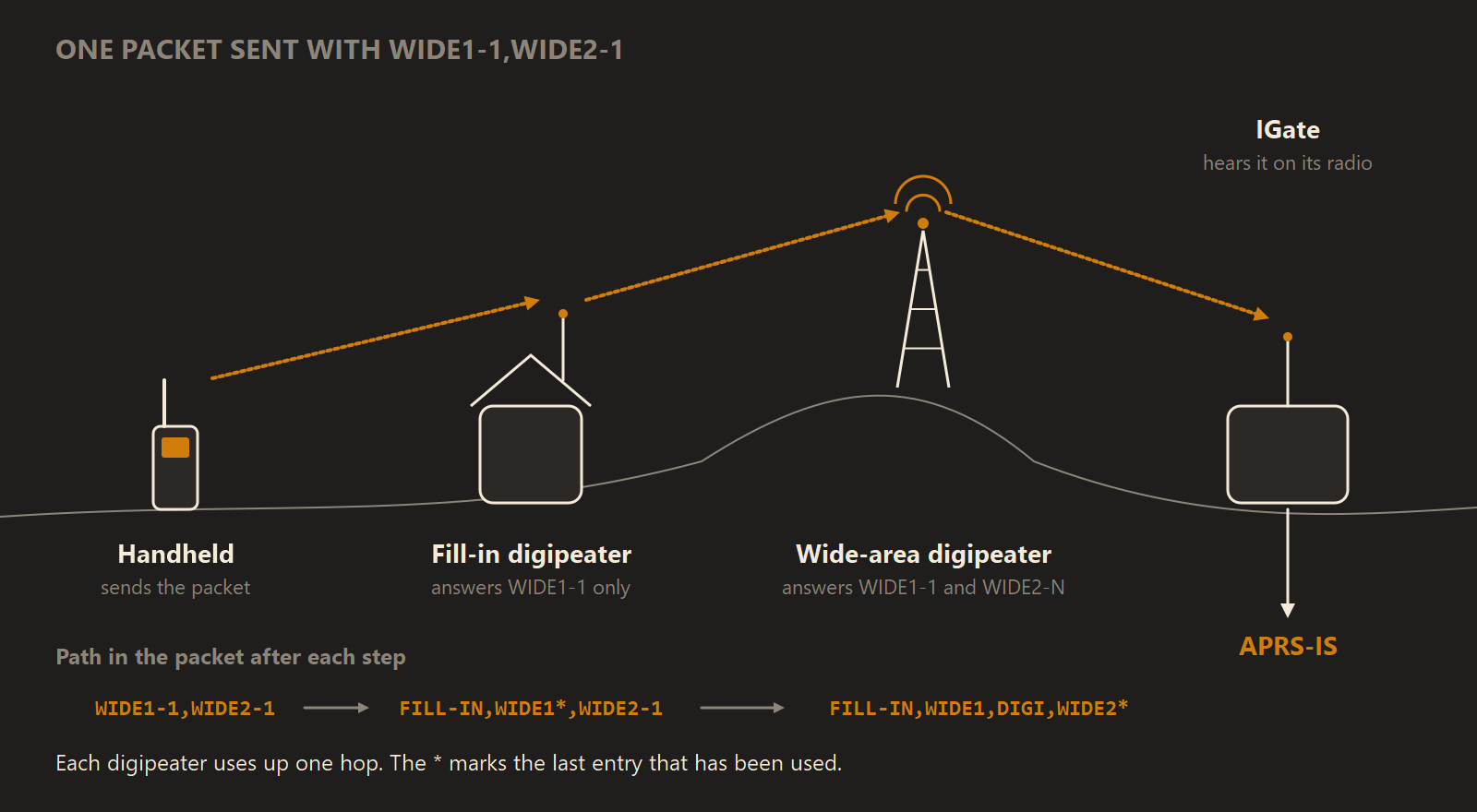
One packet sent with WIDE1-1,WIDE2-1, showing how the path changes at each digipeater before an IGate passes it to APRS-IS.
Not every digipeater writes the path the same way. Some replace a spent WIDE1-1 with their callsign rather than adding it in front, so WIDE1-1 comes back as N0CALL-3*. Some older ones insert no callsign, and the packet comes back with a plain WIDE1*. In each case that hop has been used.
Fill-in digipeaters and WIDE1-1
A fill-in digipeater is a small station, often at a home, that answers WIDE1-1 and nothing wider. Its job is to hear a weak station that the main digipeater cannot, and repeat it once so the main digipeater can carry it on. Wide-area digipeaters on high sites answer WIDE1-1 as well as WIDE2-1 and WIDE2-2.
That is why WIDE1-1 goes first in a path and only ever first. It asks for one hop from whichever digipeater is nearest, fill-in or wide-area. Placed later, it would invite every fill-in in range of a hilltop digipeater to repeat a packet that has already travelled a long way.
Which path to use
These are conventions, widely followed on VHF in North America and in many other places, not rules. A local group may recommend something different, and its advice is worth following.
| Station | Usual path | Reason |
|---|---|---|
| Mobile or handheld | WIDE1-1,WIDE2-1 | A fill-in can pick up a weak signal, then one wide-area hop carries it on |
| Fixed station that reaches a wide-area digipeater | WIDE2-1 | It does not need a fill-in, so it should not trigger one |
| Fixed station in a sparsely covered area | WIDE2-2 | Two wide-area hops where digipeaters and IGates are far apart |
| HF, or a station that only needs to be heard direct | empty | WIDE paths are not used on HF |
Why more hops is not better
Every hop is a retransmission on a shared frequency, and each digipeater that hears a packet repeats it. A two-hop packet in a busy area can already be transmitted many times, and a path asking for five or seven hops occupies the channel over a very large area.
The extra copies also collide with other stations' packets, so a long path lowers the chance that anyone's traffic gets through, the sender's included. Duplicates reaching APRS-IS are dropped by the servers, so a longer path adds nothing there either.
Many digipeaters refuse long paths outright. The digipeater in APRS Connect never repeats anything asking for more than three hops, and no setting raises that limit.
Obsolete paths
RELAY, WIDE and TRACE without numbers, and TRACEn-N, belong to the scheme that WIDEn-N replaced in the mid-2000s. RELAY was the old request for a fill-in, and WIDE1-1 took over that job. Most digipeaters no longer answer these aliases, so a path such as RELAY,WIDE is usually ignored. They should not be used.
Where the path is set in APRS Connect
Beacons are on the Radio screen on the tab bar, in the Beacons section. The Path field in each beacon's editor sets the path that beacon asks for.
The station beacon's path is also used for everything else your station transmits: messages, acks, and replies to services. Clearing it there means nothing your station sends asks for a digipeater. Extra beacons and objects each have their own path.
Seeing the path a packet took
In the packet log, tap any packet to open the packet inspector. Its Path taken section draws the path as a graph. Digipeaters that actually repeated the packet are marked (* = that hop repeated it), and the globe-marked hops are APRS-IS routing, not radios. A packet heard more than once has a mark such as HEARD 3× in the gutter, and each later copy is listed with the path it took.
On the map, the Digi paths layer shows how a selected station was repeated, hop by hop through the digipeaters that carried it. Tapping a point on a station's trail draws the route that one packet took. When there is no route to draw, the card says why.
Where to read more
- Beaconing covers the Path field along with rates, smart beaconing and objects.
- Packet log describes the packet inspector and repeated copies.
- Map describes the Digi paths layer and a single report's route.
- Digipeater explains how the app's own digipeater treats each path entry.
The station beacon, the packet log and digipeater paths on the map are free. A path only takes effect over a radio, and radio channels need APRS Connect Pro, as do extra beacon profiles and the app's digipeater. See Free and Pro.