Direwolf at home, the phone as the screen: KISS over TCP
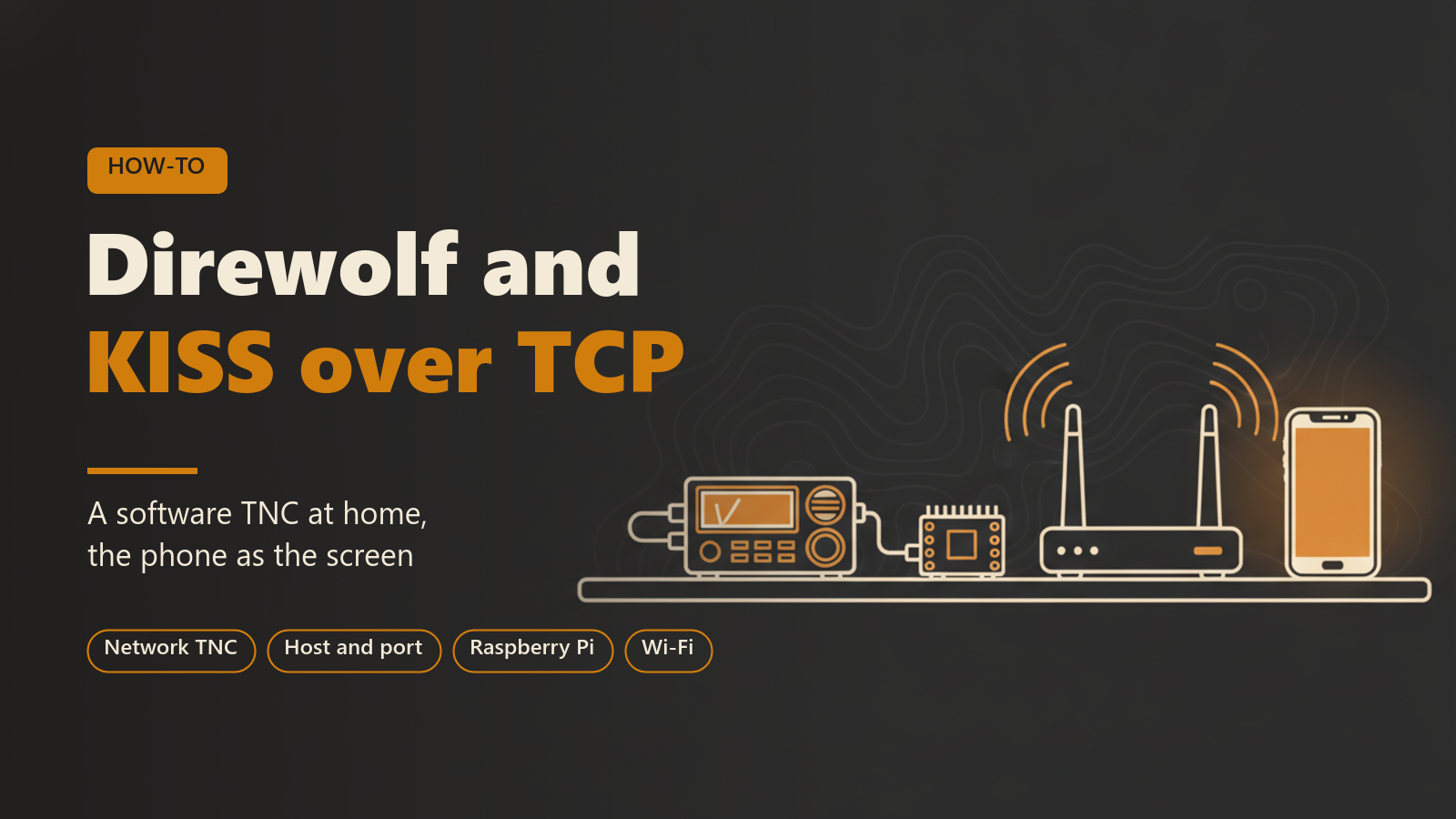
This post is for operators who already have, or plan to build, a fixed APRS station around a software TNC: a radio, a sound interface, and a computer or Raspberry Pi running Direwolf or something similar. It explains how to use that station from APRS Connect on a phone, over the network, with no cable or Bluetooth pairing between the phone and the radio.
It covers what KISS over TCP is, the usual hardware arrangement, how to add the channel in the app, what the channel row tells you once it is running, what happens when the network drops, and reaching the TNC from outside your own network.
What KISS over TCP is
KISS is the simple framing protocol that most APRS software uses to talk to a TNC. It was designed for a serial cable, but the same frames travel just as well over a TCP connection. A software TNC such as Direwolf can open a TCP port and serve KISS on it, and any client that can reach that port can send and receive packets through the radio attached to the TNC.
In APRS Connect this is the Network TNC channel type. The app connects to the TNC as a client, and from there the channel behaves like every other radio link in the app: messaging, beaconing and the packet log all work over the station radio.
A network TNC is not APRS-IS. This channel speaks raw KISS to a modem on a radio, not to the internet backbone. If your TNC is a physical box next to the phone rather than a program on the network, one of the direct connections (Bluetooth, Bluetooth LE or USB) fits better. KISS over TCP works in both the Android and the iPhone app.
The usual setup
The arrangement has four parts:
- A radio on the local APRS frequency.
- A sound interface between the radio and the computer, carrying receive audio in and transmit audio out.
- A computer or Raspberry Pi running the software TNC. Direwolf does the modulating and demodulating and offers a KISS TCP port, 8001 unless it was told otherwise.
- The phone, on the same network as that computer.
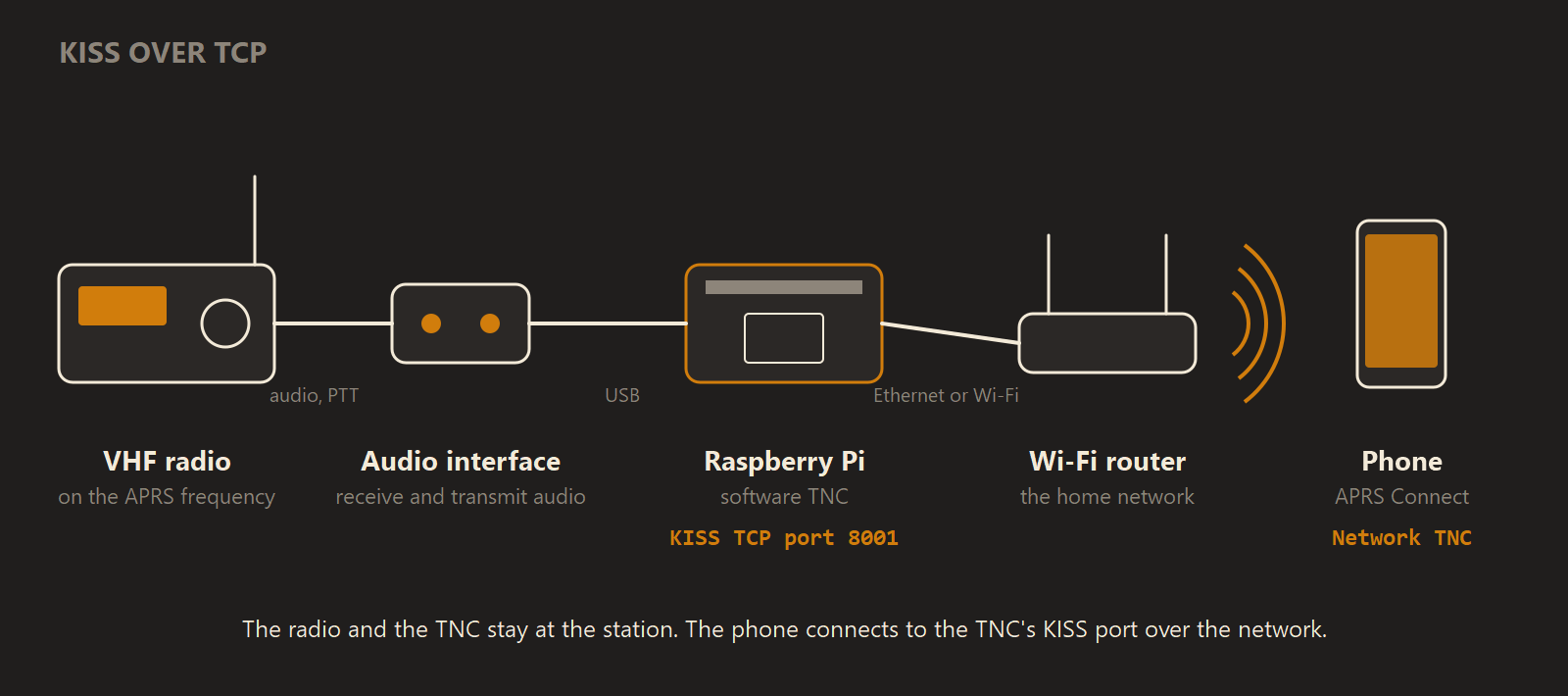
The radio and the software TNC stay at the station, and the phone reaches the TNC's KISS port over the local network.
The same channel type suits two other cases. A receive chain built around an SDR feeding Direwolf gives the app RF receive coverage with no transmitter involved. A software TNC on your own network is also the easiest way to watch the app talk KISS without dedicating hardware to it.
Add the Network TNC channel
- Open the Radio screen on the tab bar and tap Add channel.
- Pick Network TNC.
- Enter the Host, which is the address of the machine running the TNC, such as
192.168.1.50ordirewolf.local, and the Port.
The port defaults to 8001, and the screen says why: "Direwolf listens on 8001 unless it was told otherwise." In Direwolf's configuration that is the KISSPORT setting. If you paste a combined host:port address into the Host box, the app splits it into the two fields for you.
Protocol is KISS unless you change it, which is right for Direwolf and every other KISS TNC.
Transmit on this channel is on by default, so beacons and messages can go out through the TNC. Switched off, the channel only listens: nothing at all is sent to the address, not even the TNC parameters, and the channel row says RECEIVE ONLY. That is the setting for an SDR receive chain. Transmit delay and Send TNC parameters only appear for a KISS channel that transmits.
On the TNC's side, Direwolf must actually be listening (KISSPORT 8001 in its configuration), and the computer's firewall must allow the connection in.
What the channel row shows
Switch the channel on and it shows what it is doing: "Connecting to 192.168.1.50:8001", then the link's own state.
| State | Meaning |
|---|---|
CONNECTING | The app is opening the TCP connection to the host and port. |
CONNECTED | The link is up. The row counts frames received and sent, and shows when it last heard anything. |
CONNECTED · QUIET | The link is up but has heard nothing for a while. |
RECONNECTING | The connection dropped and the app is trying again. |
A quiet channel is normal in a low-traffic area. If nothing is ever received, look at the far end first. Direwolf's own log prints every packet it hears, which separates a silent radio side from a broken network side. A channel that cannot come up at all says why its switch is disabled, for example "No host set".
When the network drops
If the connection drops, the app keeps retrying on its own, and the row shows RECONNECTING while it does. Each channel row also has its own RECONNECT button.
Network channels run concurrently. A Network TNC channel can be up at the same time as APRS-IS, a Bluetooth TNC or the audio modem. A message you send goes out over every connected link, and the packet log records which ones carried it.
Reaching the TNC from outside your network
The phone has to be able to reach the host. In practice that means both are on the same Wi-Fi or LAN, or connected through a VPN that puts them on one network.
A TNC on your home LAN is not reachable from a mobile connection unless you have arranged that yourself. Exposing a raw KISS port to the open internet is not something to do casually, because anyone who finds it can transmit through your radio.
IGate and digipeater
Once a radio channel is connected, the app can also run as an IGate, passing traffic between that radio and the internet, or as a digipeater, repeating what it hears back onto the air. Both are off until you turn them on, and both are part of Pro.
Where to read more
Radio channels, including KISS over TCP, need APRS Connect Pro. APRS-IS does not. See Free and Pro.