A cable instead of Bluetooth: USB serial TNCs
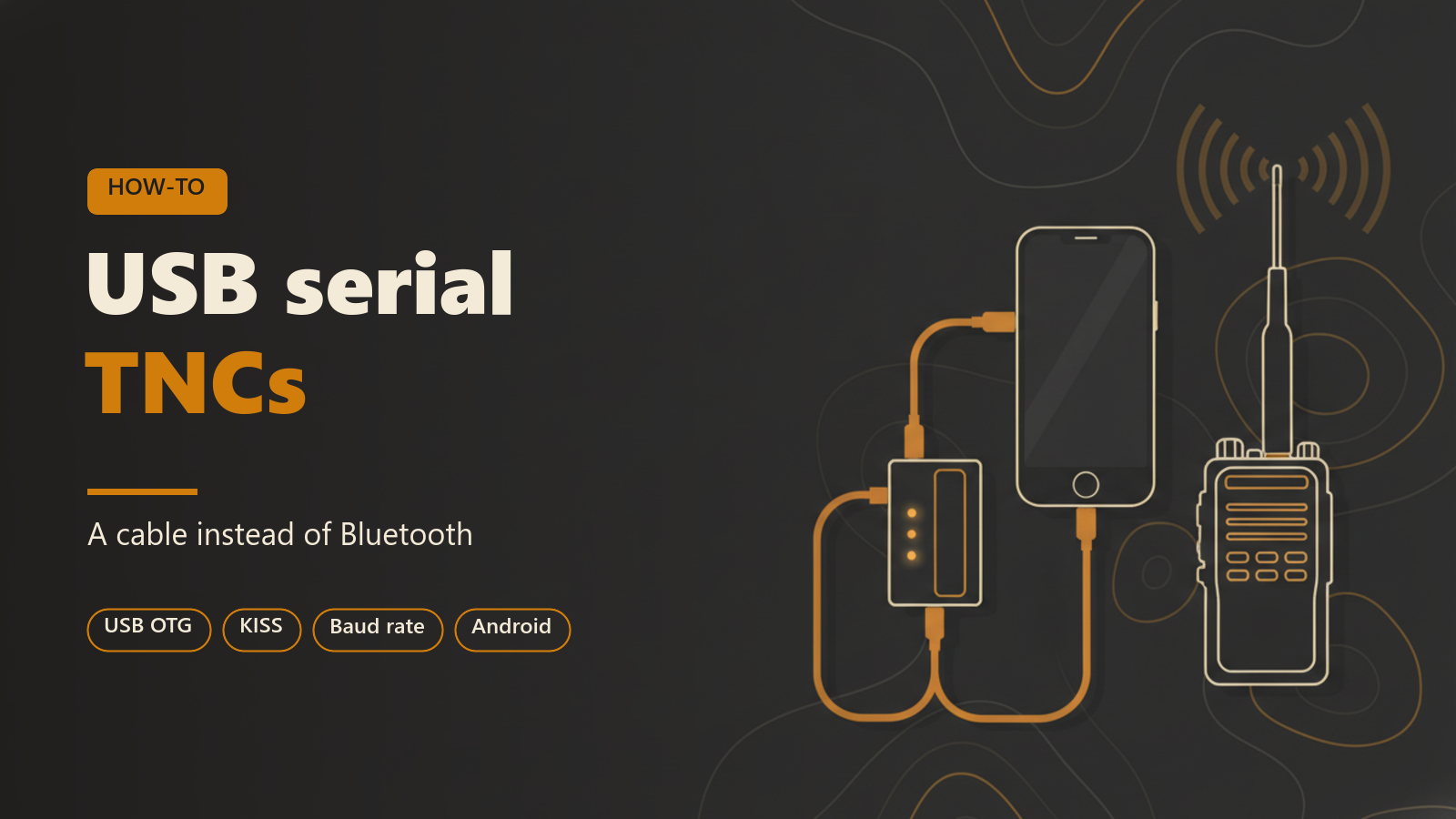
This post is for operators who have a KISS TNC, or a radio with one built in, and want to connect it to APRS Connect with a USB cable rather than over Bluetooth. It covers what hardware works, how to add the channel, the Android permission prompt, the baud rate and Raise DTR settings, and the faults a wired link produces.
USB serial TNCs are Android only. The iPhone app connects to Bluetooth LE KISS TNCs, KISS over TCP, APRS-IS and the audio modem, but not to a USB or Bluetooth Classic TNC. Radio channels of every kind, USB included, need APRS Connect Pro. APRS-IS does not.
When a cable is the better choice
A Bluetooth Classic TNC has to be paired in Android's settings before the app can use it, and the phone has a single Bluetooth Classic connection to share. A USB TNC skips all of that. There is no pairing and nothing to reconnect: the app detects the device when you plug it in and brings the channel up on its own.
A cable also removes the wireless link between the phone and the TNC, so there is one less link that can drop. With a Mobilinkd TNC3 or TNC4 the same cable charges the TNC while it carries the data, and the channel row shows the battery level with on USB power beside it.
What you need
- A phone with USB host (OTG) support. Nearly every modern Android phone has it. If yours does not, the screen says so plainly.
- An OTG adapter, or a USB-C cable for a TNC that has its own USB-C port.
- A device that presents a serial port over USB and speaks KISS on it.
Hardware that works over USB:
- A Mobilinkd TNC4 over its own USB-C port.
- A TNC-X or TNC-Pi on a USB adapter.
- A Kenwood TH-D74 or TH-D75 in its USB KISS mode.
- A computer running Direwolf, presenting its serial KISS port.
- Homebrew TNCs built on CH340, CP2102, or FTDI bridges.
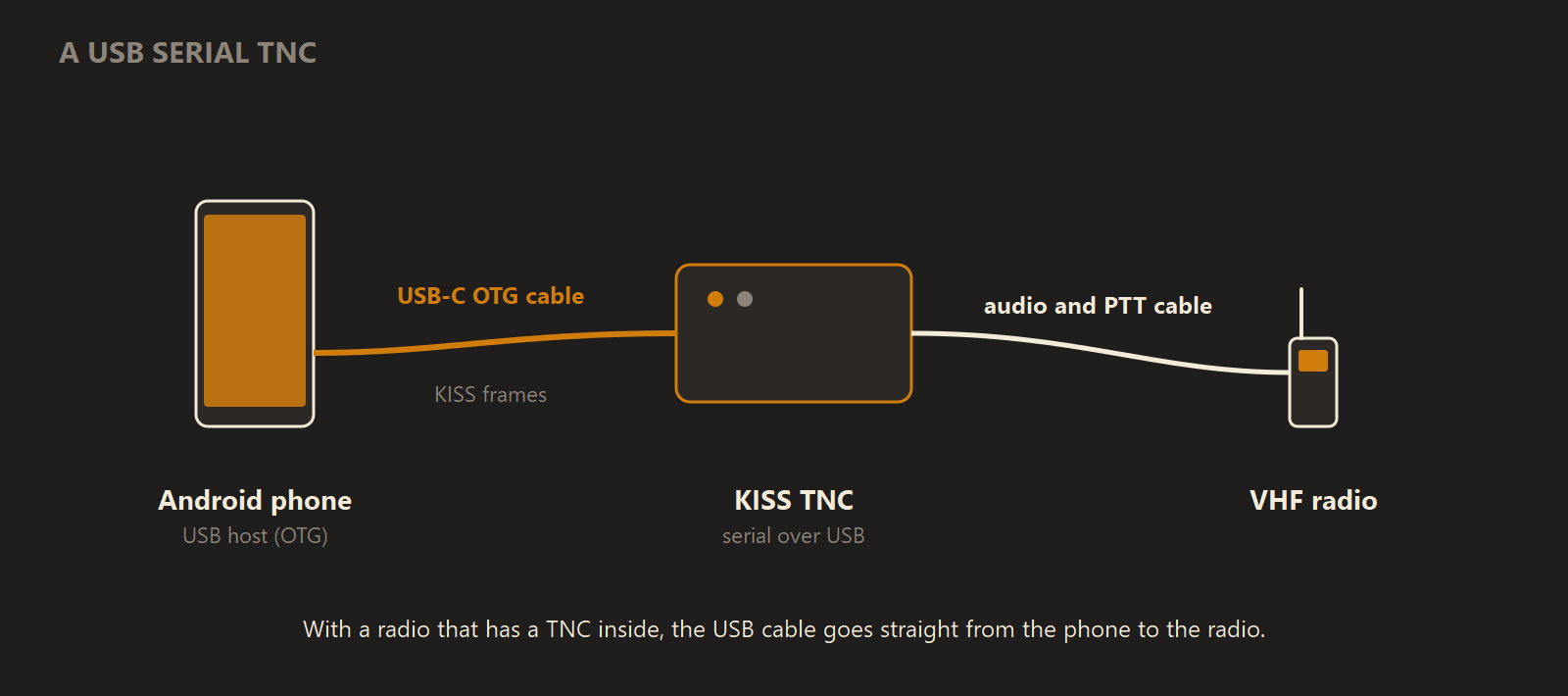
The phone talks KISS to the TNC over the USB cable, and the TNC handles the audio and push-to-talk on the radio side.
With a TH-D74 or TH-D75 the TNC is inside the radio, so the middle box and the audio cable disappear and the USB cable goes straight to the handheld.
Cables that are not TNCs
Most "data cables" and CAT cables are not KISS TNCs. A Digirig's serial port, and the programming cables sold for most Kenwood and Yaesu radios, carry radio control and PTT. There is no modem in them. They will enumerate as a serial device and connect, but no packets will ever arrive.
A Digirig does work with the app in a different way, as a sound device for the audio modem.
Add the channel
- Open the Radio screen on the tab bar and tap Add channel.
- Pick USB TNC, described on the sheet as "A KISS TNC on an OTG cable".
- Plug the TNC in. It appears under USB devices. Devices the app recognises as probable TNCs are tagged
LIKELY TNCand sorted first. Tap yours.
If the list is empty, the screen tells you to plug the TNC in with an OTG cable and then tap RESCAN.
The phone has one USB connection, so only one USB TNC channel can be live at a time. Switching on a second one turns the first off, and the app names the channel that will drop before you tap.
The Android permission prompt
The first time you tap a device, Android shows its own dialog asking whether the app may access it. That prompt belongs to Android, not the app. It can reappear when the device is replugged: some phones offer to remember the choice, others ask each time.
If you decline, the device row says: "Android did not grant access to that device. Tap it again to ask once more."
Once access is granted, unplugging the TNC makes the app note that it is not attached, with the line "It will connect on its own when you plug it back in", and it does that when the cable returns.
Baud rate
The Baud rate is picked from a fixed list, 1200 to 115200. The default of 9600 is right for a TNC-X, a TNC-Pi, or a Kenwood's built-in TNC. A TNC that is native USB, such as a Mobilinkd TNC4, has no UART behind the port and ignores the setting entirely.
A wrong baud rate on a real serial cable is the hardest USB fault to recognise. The link comes up, shows connected, and delivers nothing but decode failures. If the packet log fills with corrupted frames on an otherwise healthy link, check the baud rate first.
Raise DTR
Some hardware only starts talking once the DTR line is raised, because it waits to be told a terminal is attached. Other hardware is wired so that raising control lines does unwanted things. The app therefore defaults Raise DTR to off and remembers your choice per device, so turning it on for one TNC never changes another.
The symptom of a device that needs DTR is a link that connects and then drops, repeatedly, with the channel looping through reconnecting. Two cases have been verified: a Mobilinkd TNC4 works with DTR off, and a Kenwood TH-D75 works only with DTR on.
The RTS line is never raised. On many CAT and interface cables RTS is the push-to-talk line, and raising it could key the transmitter simply because a device was selected.
Troubleshooting
| What you see | Likely cause | What to do |
|---|---|---|
| Empty USB devices list | TNC not attached, or not seen yet | Plug it in with an OTG cable, then RESCAN |
| "Android did not grant access to that device." | The Android prompt was declined | Tap the device again and allow access |
| Connected, but the packet log shows corrupted frames | Wrong baud rate | Match the TNC's serial speed |
| Connects, drops, and keeps reconnecting | The device needs DTR | Turn on Raise DTR for that device |
CONNECTED · QUIET | The link is up and nothing has been heard | Normal in a low-traffic area. If nothing is ever received, check the radio is in KISS mode |
Where to read more
Radio channels, including the USB TNC channel, need APRS Connect Pro. Every radio type is still listed on the Add channel sheet without Pro, and choosing one opens the plans.